Subscription Terms
These terms explain how Simple subscriptions work: billing, auto-renewal, cancellation, and refunds.
Last updated: September 3, 2026
Subscription & billing
Simple Premium is a recurring subscription. It renews automatically at the end of each billing period, and the payment method you used at purchase is charged at the start of every new period. Subscriptions renew even if you're not actively using the app.
If your plan starts with a discounted introductory period, the intro price and its length are shown at checkout and on the transactional email we send you. When it ends, the plan renews at the regular price that was also shown in those places, unless you cancel at least 24 hours before the intro period ends.
Your billing period and price are always shown at checkout and in your account under Plan and Billing. To stop the next charge, cancel at least 24 hours before your renewal date (see How to cancel).
Payment method
We charge the payment method you used at purchase. On your bank or card statement, charges from purchases made on our website appear as Simple Premium, Simple Life, Simple App, or Simple App Weightloss, depending on your bank. Purchases made through the App Store or Google Play appear as APPLE.COM/BILL or GOOGLE* and are billed by Apple or Google, not by us.
How to cancel
Cancelling is simple. Your subscription stays active until the end of the period you've already paid for, and there are no further charges after you cancel. To avoid being charged for the next period, cancel at least 24 hours before your renewal date.
I subscribed on the Simple website
-
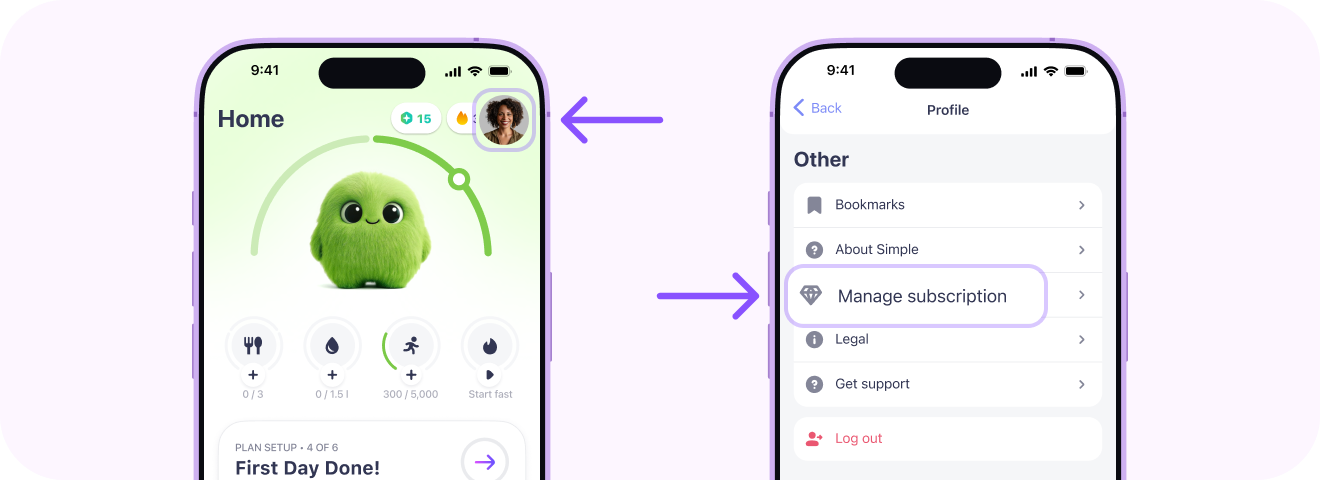
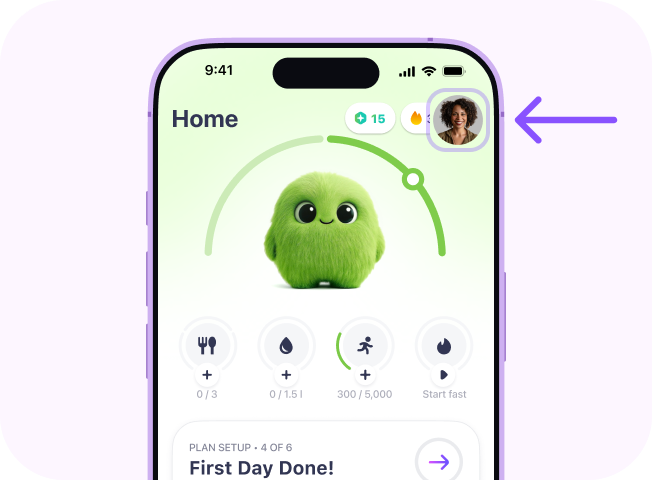
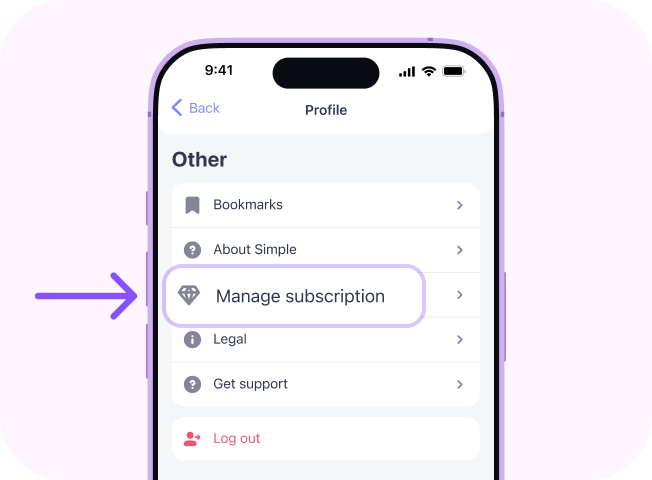
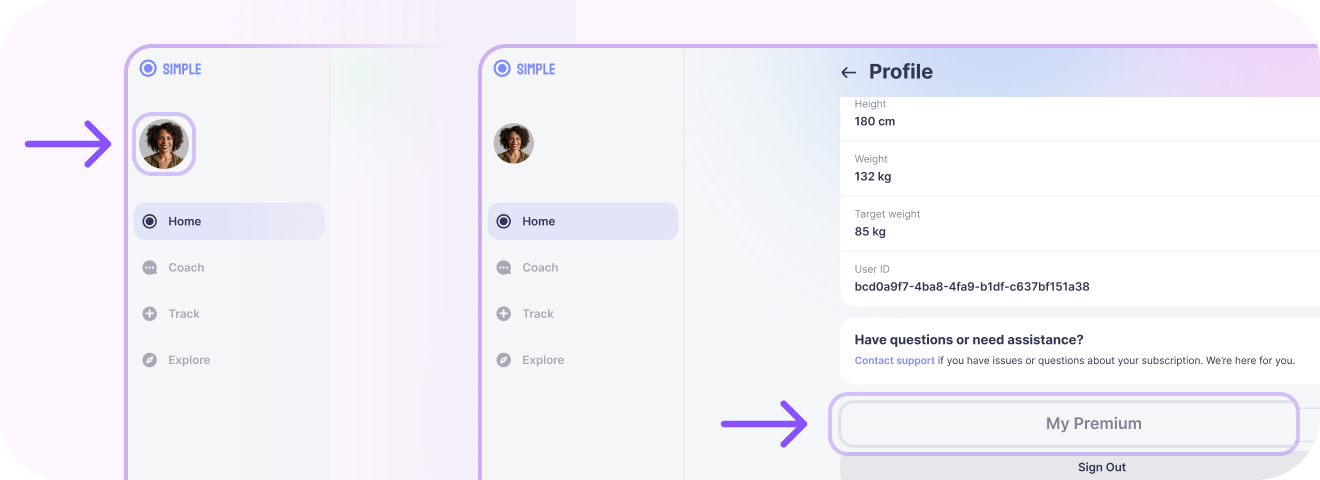
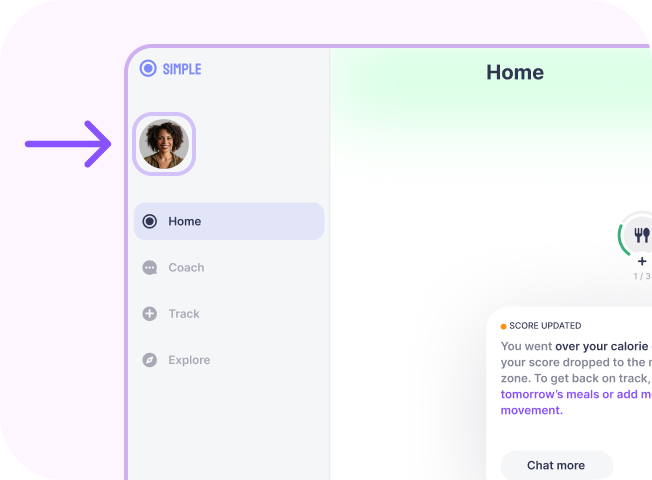
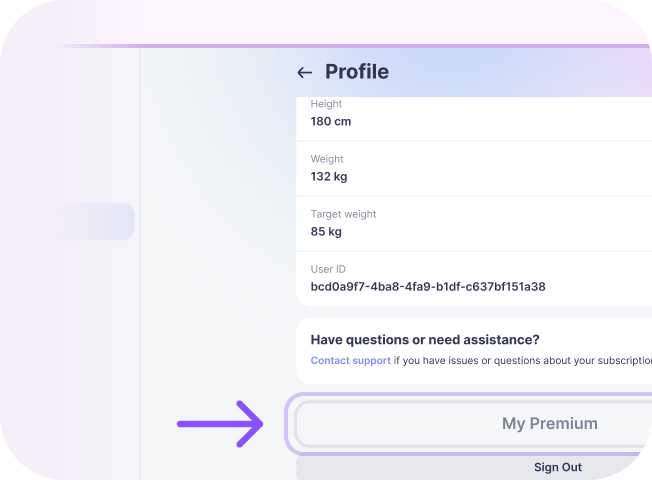
Open the Simple app, tap the profile icon in the top corner, then tap Manage subscription.
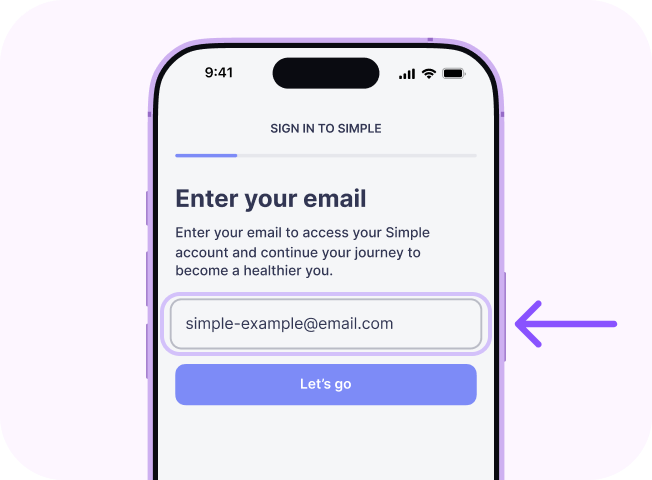
- Enter the email address you subscribed with, then enter the code from the email we send you.
-
Open Plan and Billing Manage Simple Premium.
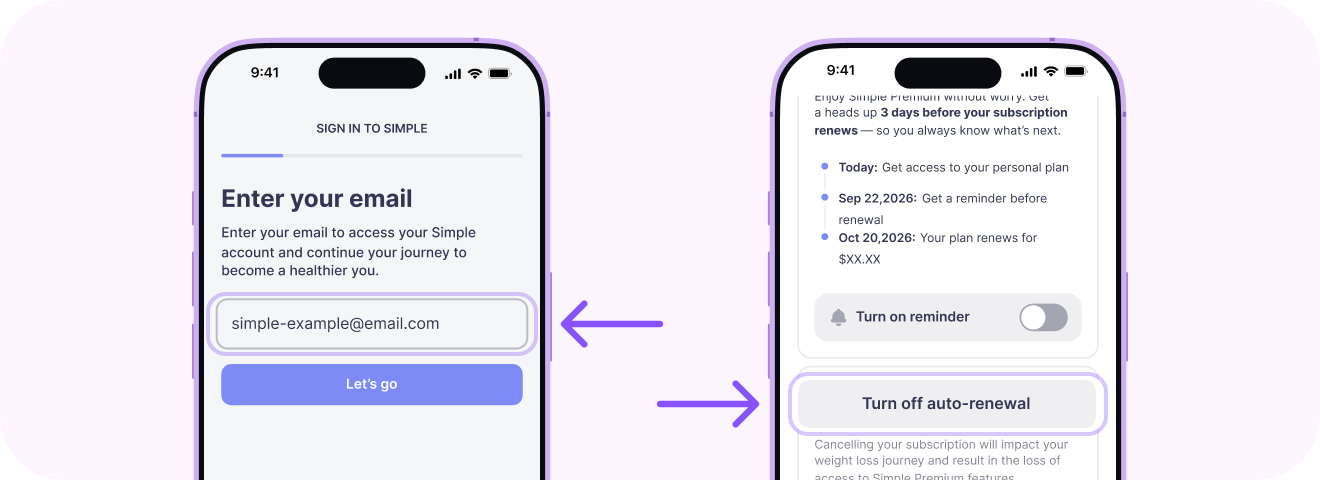
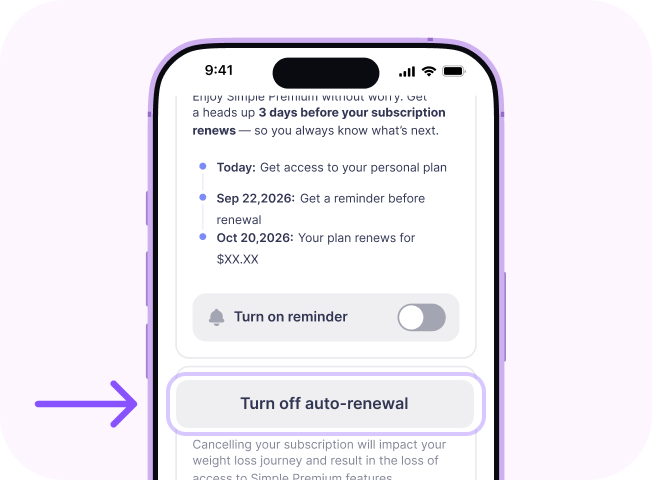
- Tap Turn off auto-renewal. This cancels your subscription.
- You'll see a confirmation screen with the date your access ends, and we'll email you a cancellation confirmation.
No access to the app?
Sign in at web.simple-life-app.com with the email you subscribed with and go to Plan and Billing.
I subscribed via the App Store
- Open Settings on your iPhone and tap your name.
- Tap Subscriptions.
- Choose Simple and tap Cancel Subscription.
Apple manages billing for App Store purchases, so refunds are handled directly by Apple. You can request a refund from Apple.
I subscribed via Google Play
- Open the Play Store app and tap your profile icon in the top corner.
- Tap Payments & subscriptions → Subscriptions.
- Choose Simple and tap Cancel subscription.
Google manages billing for Play Store purchases, so refunds are handled directly by Google. You can request a refund from Google.
Deleting the app does not cancel your subscription. You'll still be charged. To stop future charges, cancel using the steps above.
We don't work with any third-party cancellation services. Cancel directly using the steps above so your request definitely reaches us. It's free and simple.
What happens after you cancel
- Your subscription stays active until the end of the paid period. The exact date is shown on the confirmation screen and in your confirmation email.
- No further charges after that date.
- Your progress and data are saved. If you come back, you'll pick up right where you left off.
Need a break instead?
You can pause your subscription for 1 or 3 months. Your progress and price stay locked in.
Refunds
Purchases made on our website
Purchases are generally non-refundable: when you cancel, you keep access until the end of the paid period instead of getting the unused time back. That said, if you're not satisfied with Simple, you may be eligible for a refund if you request it within 30 days after a subscription charge (i.e. either the initial subscription charge or any subsequent subscription charge once the subscription auto-renews). To request one:
- first cancel your subscription, so there are no further charges;
- then contact us via the chat button or at support@simple.life and tell us the email you subscribed with.
Where your country's law gives you a cooling-off period, it applies in addition to this policy. Full details are in our Cancellation & Refund Policy.
Purchases made through the App Store or Google Play
Apple and Google handle billing and refunds for purchases made through their stores, and we can't issue those refunds ourselves. Request a refund directly from Apple or Google.
Changes to these terms
We may update this page from time to time; the date at the top of this page shows the latest revision.
Need help?
If you have a question about your subscription, chat with us or write to support@simple.life.
This page is a plain-language summary. The legally binding terms are Section 3 (Subscriptions) of Simple's Terms of Use and the Cancellation & Refund Policy. If there is any inconsistency between these documents and this page, the following order of precedence applies: (1) Terms of Use; (2) Cancellation & Refund Policy; and (3) this page.